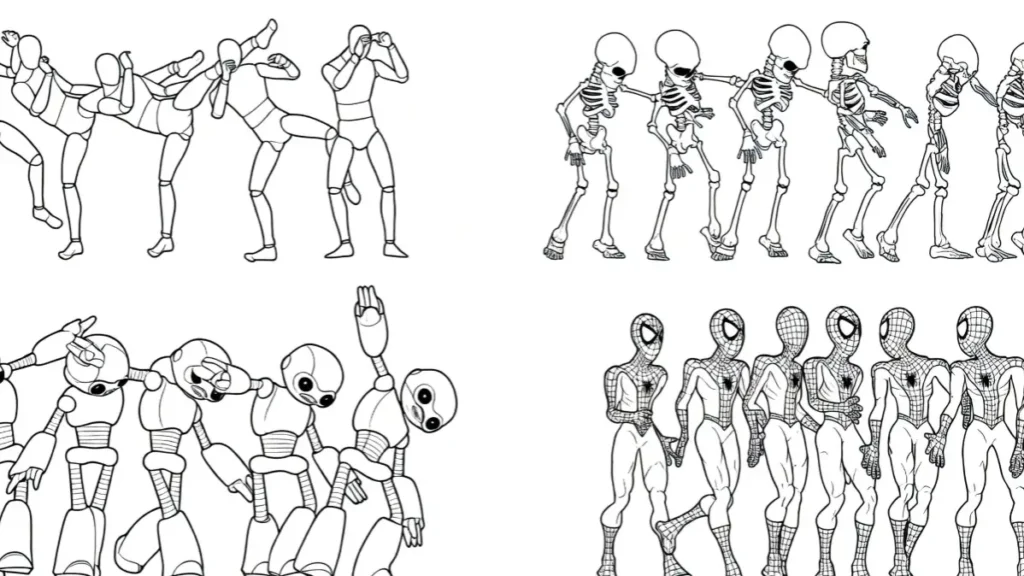
Open-source video generation models have transformed anime creation. Artists and studios now access powerful tools that run locally, offering full control over style, privacy, and customization.
Unlike cloud-based services with strict content filters and recurring fees, these models allow unlimited experimentation with anime aesthetics.
The anime community faces specific hurdles: preserving sharp line art, consistent character designs, fluid 2D motion, and cel-shaded coloring. Photorealistic models often fail here, producing warped 3D looks or flickering lines.
Open-source solutions bridge this gap through community fine-tunes and specialized workflows.
This guide covers the top options, technical setups, and practical techniques for high-quality anime video generation. Readers gain clear direction on choosing models, building pipelines, and solving common issues.
The Rise of Open-Source Anime AI Animation
Anime production demands precise control over visual language. Traditional animation requires thousands of hand-drawn frames, but AI now accelerates this process.
Open-source models stand out because they support heavy customization through LoRAs, ControlNets, and community checkpoints. Artists retain ownership of their work and avoid censorship common in proprietary tools.
The shift toward local generation addresses key limitations of paid services. Monthly subscriptions add up quickly for high-volume creators. Local models eliminate per-generation costs and data privacy risks.
For anime specifically, open-source ecosystems provide targeted training on 2D styles, line art, and exaggerated expressions. This results in outputs that respect the flat coloring and bold outlines central to the medium.
Demand has grown rapidly as tools become more accessible. Hobbyists create fan animations, while indie studios prototype episodes. The ecosystem thrives on Hugging Face repositories, where users share refined weights optimized for anime.
These developments make professional results achievable on consumer hardware.
The Current Leaderboard: Best Base Models for Anime Customization
Several base models serve as strong foundations for anime video work. Each brings different strengths in motion handling and style adherence.
Wan 2.1 stands as one of the most promising recent releases. Its architecture supports high-resolution outputs and adapts well to 2D aesthetics through fine-tuning. Users report good results when combining it with anime-specific LoRAs, particularly for dynamic action sequences.
The model handles complex camera movements better than earlier versions, making it suitable for modern anime styles with fluid choreography.
CogVideoX delivers strong structural integrity. It maintains character proportions and scene composition across frames, which helps in longer clips. The model performs reliably in action-heavy scenes where consistency matters most.
Community adaptations have improved its anime compatibility, reducing common issues like distorted limbs during movement.
AnimateDiff remains a top choice for frame-by-frame 2D animation. Its motion modules specialize in creating smooth transitions between illustrated frames. Many creators consider it the benchmark for anime-style video because it preserves the hand-drawn feel.
When paired with the right checkpoints, it produces results that closely mimic traditional animation workflows. Its flexibility with ControlNet integrations gives users precise control over poses and expressions.
These base models form the starting point. Success depends on selecting the right fine-tunes and combining them effectively.
The Best Anime Fine-Tunes and Weights on Hugging Face
The real power of open-source anime video lies in community-created fine-tunes. Several standout options fill gaps left by base models.
Anime-specific motion modules for AnimateDiff rank among the most downloaded. These modules train on thousands of anime clips to capture characteristic movements like hair flow, clothing folds, and exaggerated gestures.
Popular variants focus on particular genres, such as shonen action or slice-of-life expressions.
Checkpoints like Anything V5, Counterfeit, and MeinaMix have video adaptations that deliver excellent line art and color fidelity. These weights maintain the vibrant palettes and clean outlines typical of anime.
Many include built-in support for multiple character consistency, addressing a frequent challenge in multi-shot videos.
Hugging Face hosts hundreds of specialized LoRAs for style transfer. Some target specific studios like Kyoto Animation or ufotable, replicating their signature looks. Others focus on character archetypes, enabling quick adaptation to new designs.
Creators often stack multiple LoRAs for hybrid styles, combining elements from different series.
Regular updates from the community keep these resources current. New weights appear weekly, incorporating feedback from previous versions to fix artifacts and improve motion coherence.
Text-to-Video vs. Image-to-Video for Anime
Image-to-Video (I2V) workflows produce significantly better anime results than pure Text-to-Video (T2V). Starting with a high-quality static image gives the model a clear visual reference for character design, lighting, and composition. This approach reduces inconsistencies that plague direct text prompts.
In T2V, the model interprets descriptions from scratch, often leading to shifting art styles or anatomical errors across frames. I2V avoids much of this by anchoring generations to an initial frame. The process typically involves generating a detailed keyframe first using an image model like Pony or Animagine, then animating it with video modules.
A typical local I2V pipeline includes these steps:
- Create or select a strong reference image with clean lines and proper proportions.
- Apply ControlNet (Lineart or Depth) to guide structural elements.
- Use AnimateDiff or similar motion module for temporal consistency.
- Add IP-Adapter for style and character locking.
- Process through upscalers for final polish.
This method yields outputs that feel more intentional and true to anime conventions.
Maintaining the 2D Cel-Shaded Look Without 3D Warping
Anime relies on flat coloring and distinct outlines rather than realistic shading. Many models default to 3D rendering, causing unwanted depth and volume. Specific prompting and technical controls prevent this drift.
Effective prompt keywords include:
- “2D anime style, flat colors, cel shading, bold black outlines”
- “clean line art, no gradients, limited color palette”
- “studio ghibli influence, kyoto animation style”
- Negative prompts: “3D render, photorealistic, depth of field, volumetric lighting”
ControlNet Lineart plays a crucial role by enforcing edge detection throughout the video. OpenPose helps maintain correct character posing without distortion. Combining these tools keeps outputs firmly in 2D territory.
Artists also adjust denoising strength carefully. Lower values preserve the original illustration’s integrity while adding motion. Testing different sampler settings helps find the sweet spot for each model.
Implementation: Setting Up Your Anime Video Pipeline in ComfyUI
ComfyUI serves as the preferred interface for advanced anime video workflows due to its node-based flexibility. A basic setup starts with installing the latest version and required custom nodes for AnimateDiff, ControlNet, and video processing.
Key configuration steps include:
- Loading the base model and anime checkpoint.
- Adding AnimateDiff motion module for temporal coherence.
- Connecting ControlNet units for Lineart and OpenPose.
- Setting KSampler parameters optimized for illustration styles (steps: 20-30, CFG: 7-9).
- Including upscaling nodes at the end of the chain.
Users build reusable workflows by saving node groups. Common templates handle specific needs like character turnaround animations or dialogue scenes. The interface allows real-time parameter tweaking, making experimentation efficient.
Integration with tools like Automatic1111 extensions further expands possibilities for hybrid image-video projects.
Handling Anime Line-Art and Color Bleeding in Video
Line flickering and color inconsistencies across frames represent major obstacles in anime video generation. Several techniques address these issues effectively.
Frame-to-frame line stabilization benefits from dedicated temporal modules that analyze multiple frames simultaneously. Some workflows apply light denoising only to edges while keeping colors stable. Community-developed fixes include specific VAE models trained on anime datasets.
For color bleeding, dedicated anime upscalers like RealESRGAN-AnimeVideo restore crispness without introducing artifacts. These models understand cel-shading patterns and enhance outlines while maintaining flat color regions.
Post-processing in tools like DaVinci Resolve or CapCut can fix remaining issues. Batch processing scripts automate corrections across entire sequences, saving significant time.
System Requirements: VRAM Needed for Local Anime Video Generation
Running anime video models locally requires adequate hardware, though optimizations make it accessible.
Minimum specifications for short clips (4-8 seconds):
- 12GB VRAM (RTX 3060 or equivalent) for basic 720p generations.
- 16-24GB recommended for comfortable 1080p work.
Full-length scenes or higher resolutions demand more:
- 24GB+ VRAM (RTX 4090 or A6000) for reliable 1080p with complex ControlNets.
- Multi-GPU setups for longer sequences.
Optimization techniques help lower-end cards perform better:
- XFormers attention for memory efficiency.
- FP8 quantization to reduce VRAM usage.
- Lower resolution generation followed by upscaling.
- Batch size adjustments and gradient checkpointing.
With these tricks, many creators achieve good results on mid-range GPUs by processing shorter segments and combining them later.
Comparison Matrix: Base Model Performance on Anime Benchmarks
The following table summarizes performance across key metrics based on community tests and benchmarks as of early 2026.
| Model | Flicker Rate | Style Retention | Generation Speed (per 8s clip) | Prompt Adherence | Best Use Case |
|---|---|---|---|---|---|
| AnimateDiff | Low | Excellent | Medium (45-90s) | High | Traditional 2D animation |
| Wan 2.1 | Medium | Very Good | Fast (30-60s) | Very High | Modern action sequences |
| CogVideoX | Low | Good | Medium-Fast | High | Story-driven scenes |
| SVD + Anime FT | Medium-High | Good | Very Fast | Medium | Quick prototypes |
AnimateDiff leads in maintaining pure 2D aesthetics, while newer models like Wan 2.1 offer speed advantages for dynamic content. Results vary significantly based on fine-tunes and workflow quality.
FAQs
Which open-source model works best for anime video right now?
AnimateDiff with anime-specific motion modules and checkpoints currently delivers the most consistent 2D results for most users.
Can these models run on consumer GPUs?
Yes. Many setups work on 12-16GB VRAM cards for shorter clips, especially with optimization techniques like quantization.
How do I prevent characters from changing appearance between frames?
Use strong reference images with IP-Adapter, ControlNet OpenPose, and consistent negative prompts. Lower denoising strength also helps maintain identity.
Are open-source anime models completely free?
The models and most fine-tunes are free to download and use locally. Some advanced setups may require paid upscalers or additional tools.
What is the best software for building anime video workflows?
ComfyUI offers the greatest flexibility and control for complex anime pipelines.
How long does it take to generate an 8-second anime clip?
Generation time ranges from 30 seconds to several minutes depending on model, resolution, and hardware. Post-processing adds extra time.
This guide equips creators with practical knowledge to explore open-source anime video generation. The field advances quickly, so checking community resources regularly helps stay current with new developments and improved weights. Experimentation remains key to achieving distinctive styles that match individual artistic visions.