
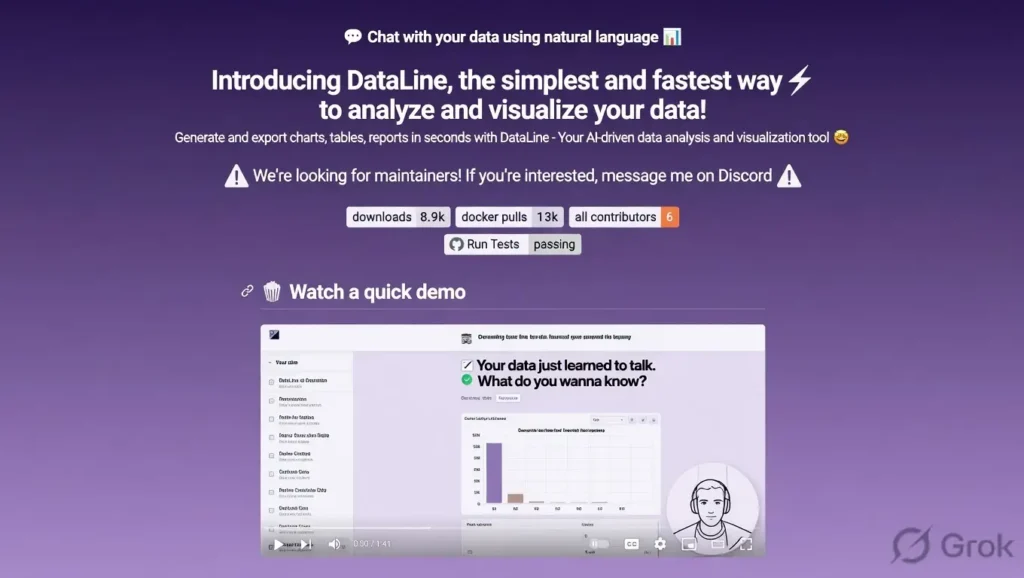
Dataline is an open-source AI-powered local data analysis tool that lets you chat with your CSV, Excel, and database files directly on your computer.
Built by Rami Awar, it combines a clean chat interface with powerful data analysis capabilities powered by local large language models, allowing you to ask questions in natural language and get instant insights, charts, and summaries without uploading data to the cloud.
Top benefit of Dataline
The biggest advantage is complete data privacy combined with natural language querying. You can analyze sensitive business or personal data locally while simply chatting with your files like you would with ChatGPT, but everything stays on your machine.
VRAM requirements
Dataline is fully open-source and runs locally.
It supports various local models including Ollama, LM Studio, and GPT4All.
VRAM usage depends on the model you choose:
- Smaller models (7B-13B): 8-16 GB VRAM
- Larger models (32B-70B): 24 GB or more recommended for smooth performance.
Dataline Features
- Natural language data chat
Ask questions in plain English such as “What was our highest sales month?” or “Show me trends in customer acquisition” and get accurate answers with visualizations. - Multi-file support
Upload multiple CSV, Excel, or database files and analyze them together in one conversation. - Automatic chart generation
Creates beautiful charts, graphs, and tables based on your questions without writing any code. - Local and private
All processing happens on your computer. No data is sent to external servers. - Multiple LLM backends
Works with Ollama, LM Studio, Groq, and other local or cloud models for flexibility.
Pros
- Full data privacy since everything runs locally
- Very intuitive natural language interface
- Supports multiple file formats and databases
- Generates charts and visualizations automatically
- Free and open-source with active development
- Works offline after initial setup
Cons
- Requires technical setup to run local LLMs
- Performance depends heavily on your chosen model and hardware
- Currently limited to tabular data (CSV, Excel, SQL)
- No mobile app or cloud version yet
- Initial model loading can take time
Dataline vs alternatives
| Feature | Dataline | Julius AI | Akkio | ChatGPT Advanced Data Analysis |
|---|---|---|---|---|
| Runs locally / Private | Yes | No | No | No |
| Cost | Free | Paid | Paid | Paid (Plus) |
| Natural language querying | Excellent | Good | Good | Very Good |
| Chart generation | Automatic | Automatic | Automatic | Good |
| Multi-file support | Yes | Yes | Limited | Yes |
| Data privacy | Full (local) | Cloud | Cloud | Cloud |
Quick pics
- Clean chat interface showing sales data analysis with generated bar chart
- Multiple CSV files loaded together with combined insights
- Natural language question turning into an instant line graph of trends
My experience with Dataline
I spent a week testing Dataline with real sales and customer datasets. The ability to simply ask questions in plain English and get accurate answers with charts felt very natural.
Setup took about 30 minutes, but once running it was smooth. I especially liked that all my sensitive data stayed on my laptop.
It still needs stronger error handling for messy datasets, but for anyone tired of uploading files to cloud tools, Dataline already feels like a big step forward.
Rating
- Overall Score: 8.3 / 10
- Privacy & Security: 9.8
- Ease of Use: 7.2
- Analysis Accuracy: 8.5
- Chart Quality: 8.0
- Innovation: 8.7
- Value (free): 9.5
Final thoughts
Dataline brings the power of conversational AI directly to your local data files in a simple and private way.
While it still has room to grow in handling complex messy data, its focus on privacy and natural language makes it a valuable tool for analysts, small business owners, and anyone who wants to explore their data without sending it to the cloud.
For a young open-source project, it already delivers impressive results.
FAQs
Is Dataline completely free?
Yes, it is fully open-source and free to use with no hidden costs.
Does Dataline send my data to the cloud?
No. Everything runs locally on your computer.
What file types does Dataline support?
It works with CSV, Excel, SQL databases, and other tabular formats.
Do I need a powerful GPU to run Dataline?
It depends on the LLM you choose. Smaller models run well on modest hardware.
Can beginners use Dataline?
Yes, the chat interface is very user-friendly, though initial setup requires some technical steps.
How does Dataline compare to ChatGPT data analysis?
It offers better privacy and works completely offline, though ChatGPT may handle more complex reasoning in some cases.
Is Dataline suitable for business use?
Yes, especially for teams that need to keep sensitive data private and local.
Where can I download Dataline?
The project is available on GitHub at github.com/RamiAwar/dataline.