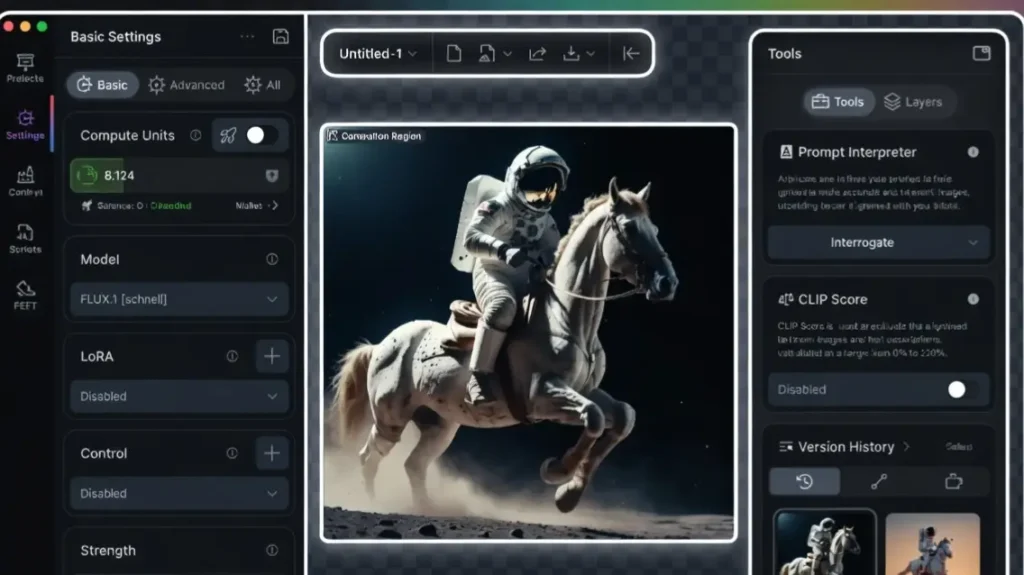
Draw Things AI is a powerful open-source AI image generation app that runs completely on your iPhone or iPad.
It brings Stable Diffusion models directly to your mobile device, allowing you to create high-quality images from text prompts without needing an internet connection or cloud service.
The app supports multiple models, advanced settings, and features like image-to-image, inpainting, upscaling, and ControlNet. It is completely free with optional in-app purchases for extra models and features.
Top benefit of Draw Things AI
The biggest advantage is true offline image generation on your mobile device. You can create detailed AI art anywhere without Wi-Fi or subscription fees, giving you full privacy and unlimited generations limited only by your device’s hardware.
VRAM requirements
Not applicable – Draw Things AI is a mobile app. It runs on Apple Silicon (A14 and above recommended). Newer iPhones and iPads with more RAM perform significantly better for higher resolution and complex prompts.
Draw Things AI Features
- Full offline generation
Generate images directly on your device using downloaded Stable Diffusion models. No internet required after initial model download. - Advanced prompt control
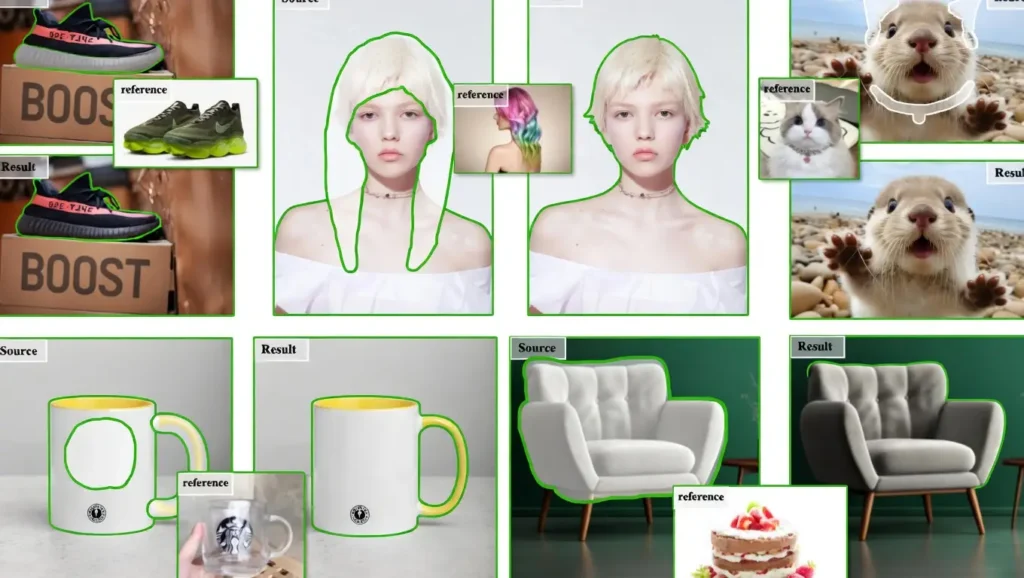
Supports detailed prompts, negative prompts, guidance scale, steps, and seed control for consistent results. - Image-to-image and inpainting
Upload a reference image and modify it or paint over specific areas while keeping the rest intact. - Multiple model support
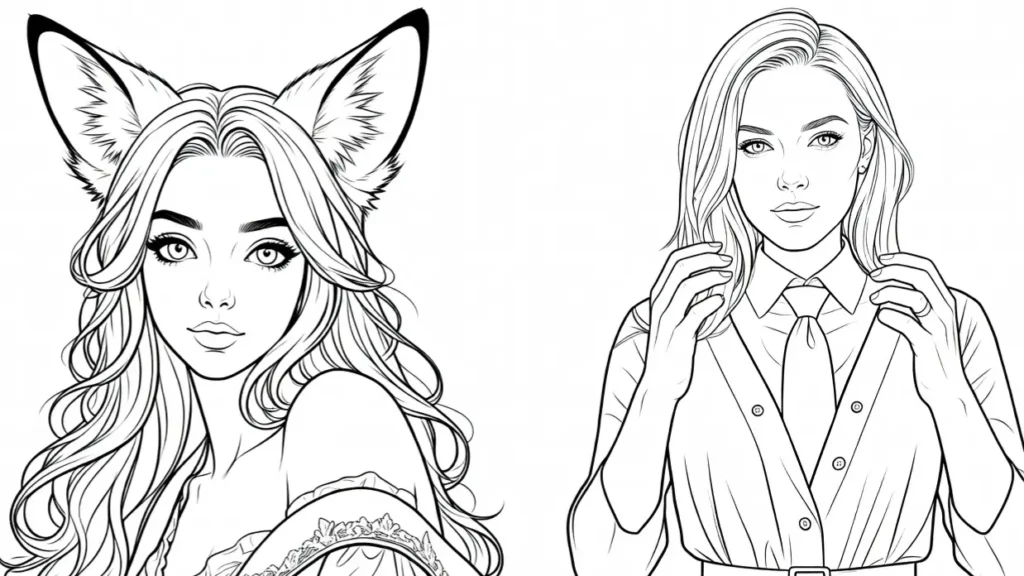
Download and switch between different Stable Diffusion models, including realistic, anime, and artistic styles. - ControlNet and upscaling
Use advanced features like ControlNet for better composition and built-in upscaling for higher resolution outputs.
Pros
- Completely offline and private image generation
- Runs locally on iPhone and iPad with no subscription
- Supports advanced features like inpainting and ControlNet
- Free with optional paid model packs
- Regular updates and active community
Cons
- Performance depends heavily on your device’s RAM and chip
- Slower generation compared to cloud services
- Limited to Apple devices only
- Initial model downloads can be large
- Learning curve for advanced settings
Draw Things AI vs alternatives
| Feature | Draw Things AI | Midjourney | Stable Diffusion WebUI | Leonardo.AI |
|---|---|---|---|---|
| Offline Generation | Yes | No | Yes (local) | No |
| Mobile Support | iOS only | No | No | Yes (web) |
| Cost | Free | Paid | Free | Freemium |
| Privacy | Full local | Cloud | Local | Cloud |
| Ease of Use on Mobile | Very Good | N/A | N/A | Good |
Quick pics
A cyberpunk character standing in neon rain with perfect reflections
A peaceful Japanese garden at sunrise with detailed cherry blossoms
A realistic portrait of an elderly woman with natural skin texture
My experience with Draw Things AI
I used Draw Things AI for two weeks on an iPhone 15 Pro and iPad Air. The ability to generate images anywhere without internet felt liberating. Quality is surprisingly good for a mobile app, especially with the right models.
Generation speed is acceptable on newer devices but can feel slow on older ones. I enjoyed experimenting with different styles and inpainting to fix small details.
Rating
Overall Score: 8.3 / 10
Offline Capability: 9.5
Image Quality: 8.0
Ease of Use: 7.8
Speed on Device: 7.5
Feature Set: 8.5
Final thoughts
Draw Things AI delivers a genuine mobile AI art experience that no cloud service can match in terms of privacy and freedom.
While generation speed and resolution have limits compared to desktop or cloud tools, the fact that it works completely offline on your phone makes it unique and valuable for artists and casual creators who want to generate images on the go.
FAQs
Is Draw Things AI really free?
Yes, the core app is free. Some premium model packs require in-app purchase but are optional.
Can I use Draw Things AI without internet?
Yes, once models are downloaded, everything works offline.
Which iPhone works best with Draw Things AI?
iPhone 14 Pro and newer or any iPad with M1 chip or better give the best performance.
Does it support image-to-image generation?
Yes, you can upload a reference image and generate variations or make targeted edits.
How long does one image take to generate?
On iPhone 15 Pro it usually takes 10 to 30 seconds depending on settings and model.
Is the quality as good as Midjourney?
Not quite at the same level, but with good models and prompts the results are very respectable for a mobile app.
Can I sell images created with Draw Things AI?
Yes, images generated locally are yours to use commercially.
Does it support ControlNet?
Yes, ControlNet is supported for better composition and pose control.
About The Author